
Step-by-step parallel installation of 2–6 Growatt SPH hybrid inverters. Communication cabling, master/slave commissioning, load balancing, and AC switchboard layout.
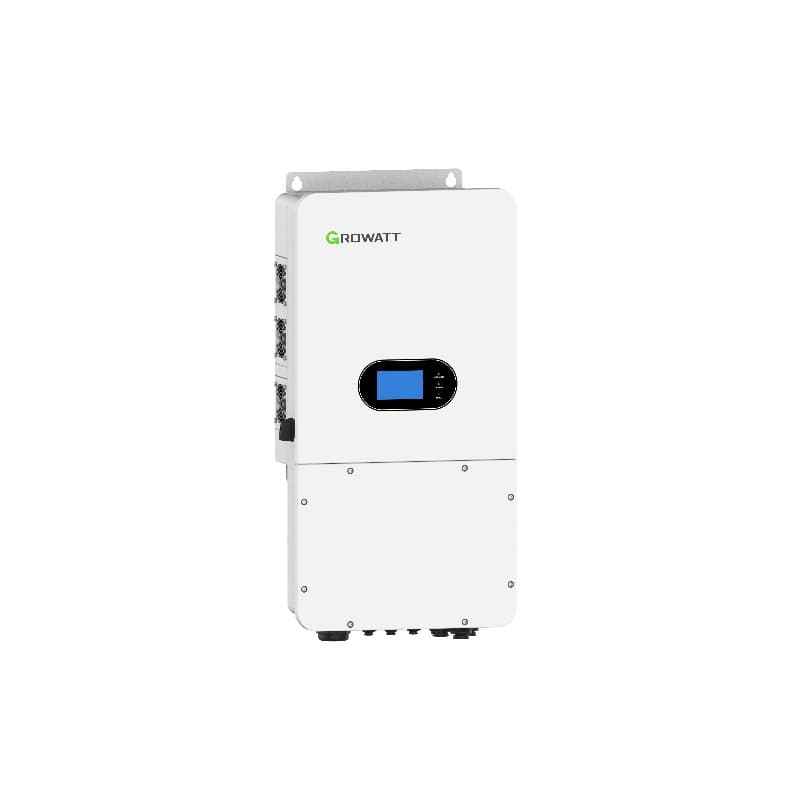
Growatt's SPH platform (storage power hybrid) is built to run alone or in parallel banks of up to six identical units. The parallel feature multiplies usable output, scales the battery bank, and provides built-in N+1 redundancy when one inverter trips. This guide focuses on the most-deployed three-phase SPH 4000-10000TL3-BH-UP family, and notes the differences for the single-phase SPH 3000-6000TL-BL-UP and the larger SPH-SPM 8000-10000TL-HU.
1. Compatibility Rules Before You Quote
- All inverters must be identical SKU and firmware. Mixing an SPH-7000TL3-BH-UP with an SPH-8000TL3-BH-UP is not supported — same model, same FW revision, same battery type.
- Maximum of 6 units in parallel for the three-phase BH-UP series, 4 units for the single-phase BL-UP series, 10 units on the SPM platform.
- All units must share the same battery bus — typically two to four ARK HV stacks per inverter feeding a common DC bus is not allowed; each inverter has its own ARK stack.
- Combined AC output cannot exceed the upstream transformer capacity. For a 6 × 10 kW bank, that's 60 kW continuous — verify the building feed.
2. Bill of Materials for a 3 × SPH 4000-10000TL3-BH-UP (30 kW) Bank
- 3 × SPH 10000TL3-BH-UP three-phase hybrid inverters
- 3 × Growatt ARK HV battery stacks (matched in capacity — usually 3 × 11.25 kWh or 3 × 12.5 kWh)
- 3 × DC battery breakers (100 A, rated for 600 V DC)
- 3 × AC breakers, 4-pole, 32 A Type C with Type B RCD
- Shielded twisted-pair CAT5e/CAT6 communication cable, RJ45 terminated — one run from inverter to inverter, daisy-chained
- 120-ohm terminating resistor (Growatt-supplied) for the last inverter on the CAN bus
- Common busbar in the AC switchboard rated 200 A copper
- One CT clamp per phase, installed on the main feed for energy metering
- Earthing busbar with a single equipotential bond to the building MET
- Torque wrench 0–25 Nm
3. Physical Layout and Wall Spacing
Mount the inverters side by side with a minimum 600 mm clearance between units (manual page 21). Each unit weighs 35–42 kg, so confirm wall load before drilling. Lay out the bank so cable runs to the common AC busbar are within ±10% of one another — uneven impedance causes circulating currents and noise.
- Mark inverter centres with the supplied template. Bracket bottom at 1.6 m.
- Drill Ø12 mm × 70 mm holes for M10 expansion anchors.
- Torque the M10 bolts to 20 Nm.
- Hang each inverter — two technicians per unit. The SPH 10000TL3-BH-UP needs three for safe lifting.
4. DC and Battery Wiring (Per Inverter)
Each SPH gets its own PV array and its own ARK HV battery stack — the bank does not share a common battery bus:
- Mount the BAT-BOX next to each inverter. Stack ARK HV modules to match the inverter rating (8–12 kWh per inverter is typical).
- Run BAT+ and BAT− to the inverter battery terminals. Torque to 4 Nm.
- Connect the BMS CAN cable from each BAT-BOX to its parent inverter — not across inverters.
- Wire PV strings to the inverter's two MPPTs. Each SPH 10000TL3-BH-UP accepts up to 1000 V DC, 13.5 A per MPPT.
5. AC Output Wiring to the Common Busbar
- From each inverter AC out, run a 4-core + earth cable sized to the inverter's full output current plus 25% derate (e.g. 16 mm² for the 10 kW unit at 15 A per phase).
- Land all three sets of L1/L2/L3/N on a shared busbar in the switchboard. Earth conductors land on the building MET.
- Install a 4-pole AC breaker per inverter (32 A Type C). Coordinate with a Type B RCD if local code requires.
- One main 100 A 4-pole breaker upstream of the busbar isolates the entire bank for service.
6. Communication Cabling (The Critical Step)
Parallel coordination uses a CAN bus daisy chain. Cable type: shielded CAT5e or CAT6 with RJ45 connectors. Maximum total length: 30 m end-to-end.
- On each SPH, locate the two RJ45 ports labelled PARALLEL-1 and PARALLEL-2 (on the BH-UP platform; SPM uses CAN-A and CAN-B).
- Inverter A: leave PARALLEL-1 empty; PARALLEL-2 cables to Inverter B's PARALLEL-1.
- Inverter B: PARALLEL-2 cables to Inverter C's PARALLEL-1.
- Continue down the chain — the last inverter's PARALLEL-2 gets the 120-ohm terminating resistor in a male RJ45 housing.
- Confirm shield continuity from end to end with a multimeter.
7. CT Installation for Energy Metering
The bank needs a single set of CT clamps on the main grid feed — not one set per inverter:
- Install three split-core CT clamps (Growatt-supplied, 200 A ratio) on L1, L2, L3 of the main building feed, upstream of the bank busbar.
- Run the CT signal cable to the master inverter CT input only. Slave inverters read CT data over the parallel bus.
- Verify CT orientation — the arrow on the body points toward the load. A flipped CT causes the bank to export at full power when it should import.
8. Master/Slave Commissioning via ShinePhone
- Energise AC then DC on the master inverter only (the one closest to the CT cables — typically Inverter A).
- Pair the master with ShinePhone. Open the inverter under your plant and go to Advanced → Parallel Settings.
- Set the master:
- Parallel mode:
Enable - Role:
Master - System total quantity:
3(or however many units in the bank) - Unit ID:
1
- Parallel mode:
- Power on inverter B. In ShinePhone set Role:
Slave, Unit ID:2. - Power on inverter C. Role:
Slave, Unit ID:3. - Return to the master and tap "Sync Parallel". Within 30 seconds all units display "Parallel: Online" and the bank operates as one virtual inverter.
9. Load Balancing and Behaviour
Once synced, the master controls dispatch across the bank:
- PV harvest follows each inverter's own array — there is no DC sharing.
- Battery dispatch is balanced across inverters: the master polls each slave's SOC and routes charge/discharge so all batteries stay within 5% of one another.
- AC load support is split proportionally to inverter rating. Three identical 10 kW units share equally.
- EPS / backup mode: when grid fails, the master coordinates a sub-50 ms cutover. All slaves track the master's voltage and frequency reference.
10. Verification After Commissioning
- Drop the grid breaker. The bank should transition to EPS within 50 ms — verify with a clamp-on oscilloscope on the load side.
- Restore the grid. Bank resyncs and returns to grid-tie within 60 seconds.
- On ShinePhone, confirm all unit IDs report identical voltage, frequency, and SOC within tolerance.
- Run a 30-minute soak test under > 50% load. Check inverter casings for hotspots and torque-mark all terminals.
11. Common Parallel Faults and Fixes
- "Parallel Comm Fault" on slave units: usually a missed terminating resistor or a flipped RJ45 wiring. Rebuild the daisy chain with the 120-ohm cap on the last port.
- One inverter trips on overload while others sit idle: CT cable wired to wrong inverter. Master must own the CTs — move them.
- SOC drift between batteries: a slave's ARK stack has a different firmware. Update all BMS firmware to the same revision via ShinePhone.
- Frequent grid reconnect failures after EPS: verify the upstream RCD type matches all inverters (Type B for transformerless).
12. Single-Phase SPH BL-UP Notes
For the single-phase SPH 3000-6000TL-BL-UP, the same daisy chain applies but max units drop to 4 and the AC busbar carries L/N only. Use 10 mm² AC cable per inverter for the 6 kW model. CT clamps are single-phase split-core, mounted on the L conductor of the main feed.
Frequently Asked Questions
How many Growatt SPH inverters can I parallel?
Do all paralleled SPH inverters share one battery bank?
What communication cable do I need between Growatt SPH inverters?
Which inverter should be the master?
Do I need a separate AC breaker per SPH inverter?
Can I add another SPH unit to an existing bank later?
How fast does the SPH bank fail over to backup power?
Ready for a personalized quote?
WhatsApp us — average reply time under 15 minutes.
Related Products
Related Articles
Growatt Backup Power During a Grid Outage: SPH, SPF, ATS Box & Critical-Load Wiring
Growatt Time of Use Solar Net Metering — Programming SPH for DEWA and SEC TOU Tariffs
Growatt SPH vs SPA Inverter: Single-Phase Hybrid vs Three-Phase Storage